SimONE Sessions
SimONE sessions can be done in three different formats: Face-to-Face, Virtual or Hybrid. Choose the format based on your audience size, location, and level of interaction required.
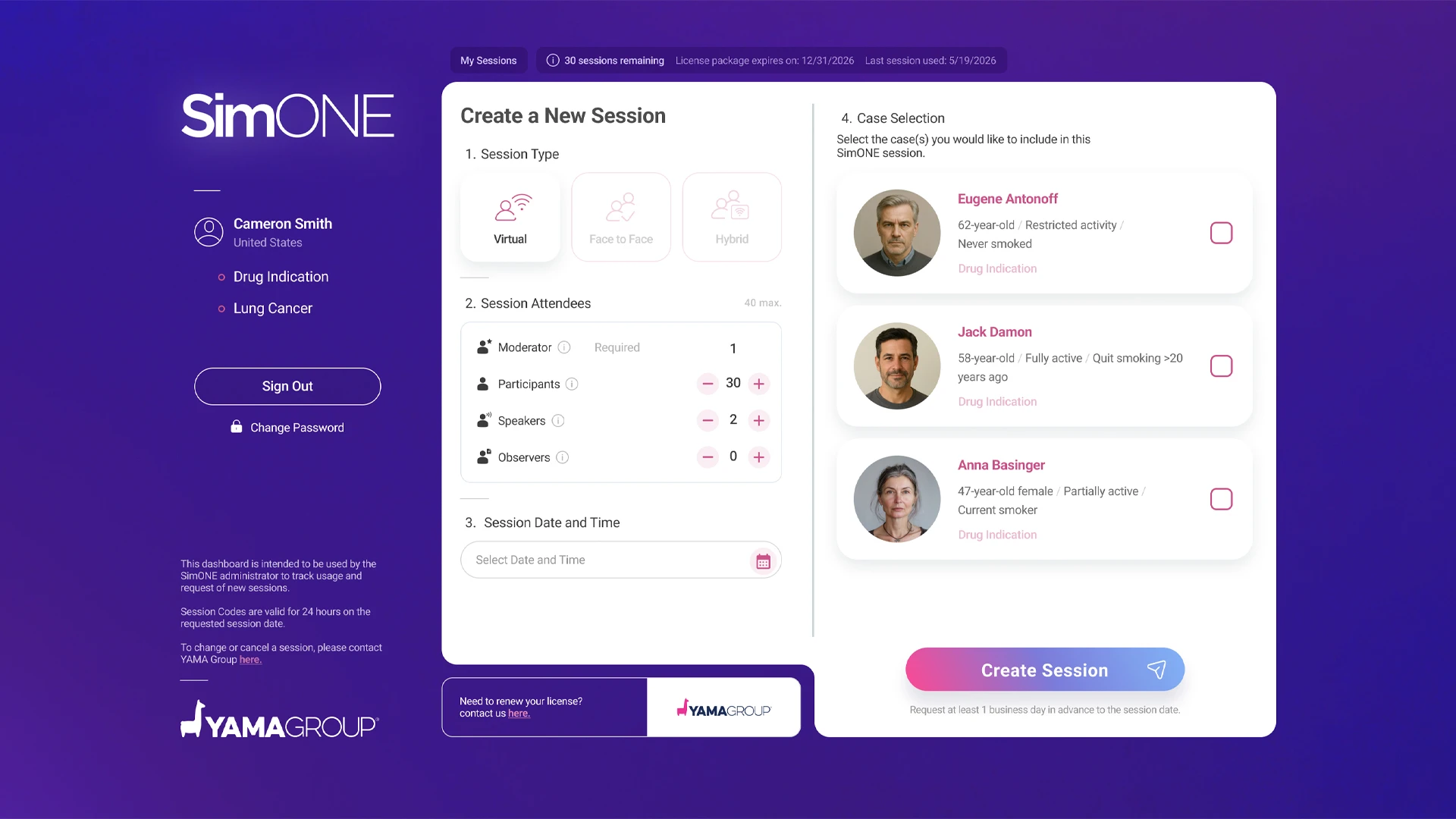
To select preferred session format and schedule it, you will have access to a dedicated Dashboard where you can:
- Create a session:
- Select the session type
- Specify the number of attendees
- Choose the session date and time
- Select the case
- Additional options:
- View session history
- Review session plan details and expiration dates
SimONE Session Formats
| Feature | Face-to-Face | Virtual | Hybrid |
|---|---|---|---|
| Main Content View | Large screen on-site | Individual device screens | Shared screen on-site + Individual remote screens |
| Participant Interaction | Mobile phones via QR code | Desktop or Tablet | On-site: Phones (QR) / Remote: Own device |
| Moderator Location | On-site | Remote | On-site or Remote |
| Capacity | No limit for audience viewing | Max 40 active virtual users | Max 40 active virtual users |
 Face-to-Face Sessions
- Setup: Connect your laptop to a projector or large monitor.
- The View: The Moderator "drives" the experience on the big screen.
- Joining: Participants scan the QR code—always visible on the big screen—to interact on their phones during decision moments.
- Tip: Click the QR code on your screen to enlarge it for easier scanning.
 Virtual Sessions
- Setup: Every user connects via their own unique link.
- The View: Content is displayed directly on each participant's screen.
- Joining: We highly recommend using a desktop or tablet for the best experience.
- Best Practice: Keep groups under 30 people to encourage better clinical discussion.
Hybrid Sessions
- Setup (Moderator On-site): Join via the virtual link and share your screen in the room.
- Setup (Moderator Remote): Join via the virtual link. An on-site participant Observer role shares their screen locally.
- On-Site Participants: Scan the QR code on the shared screen to interact via mobile devices
- Remote Participants: Join via the session link to view content and participate in real time.
Audio tip
The observer sharing their screen should use a conference speakerphone on-site so the local audience can hear remote participants clearly.
The observer sharing their screen should use a conference speakerphone on-site so the local audience can hear remote participants clearly.
All the data on the platform is uploaded prior to the live session. All additional information discussed during the sessions will not be stored and will be permanently deleted.